- Visit composaserver.com
- Print this page
Composa Server
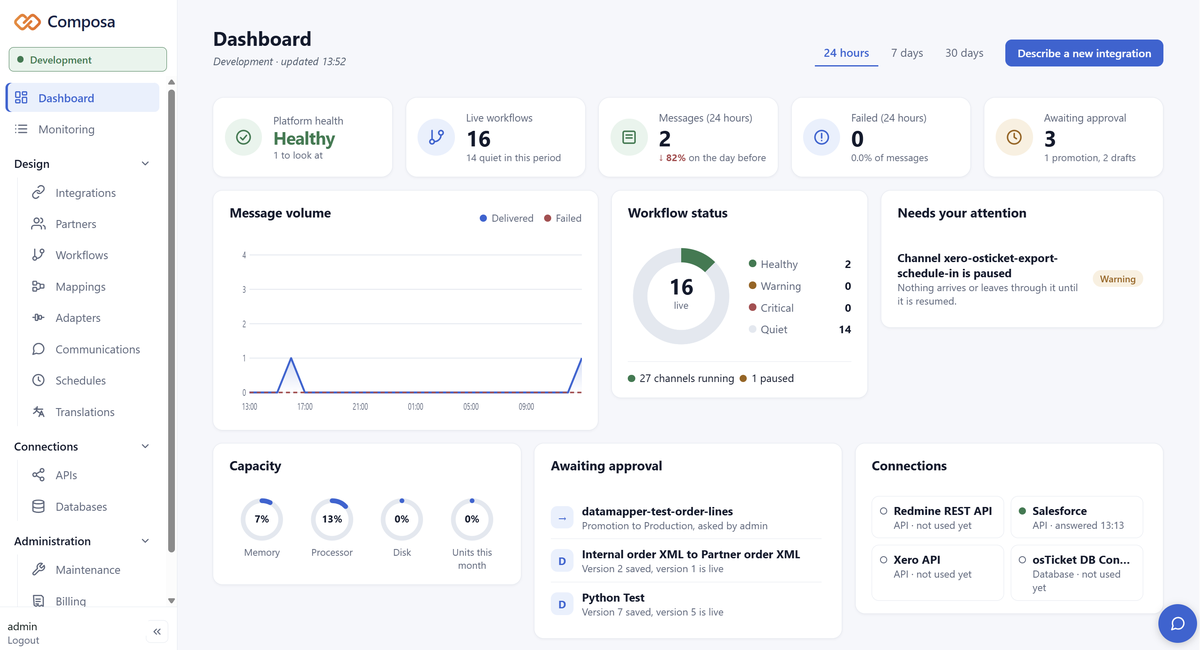
Composa is our AI-assisted data integration platform. It connects your ERP, web shop, accounting system and trading partners, and moves the orders, invoices and shipping notices between them by itself - through EDI, APIs, files and documents.
Describe the integration you need and the Integration Wizard drafts a plan, then builds it once you approve. Everything it builds is an ordinary workflow your own team can open, read and change. Nothing goes live until a person activates it, and every message can be traced from end to end.
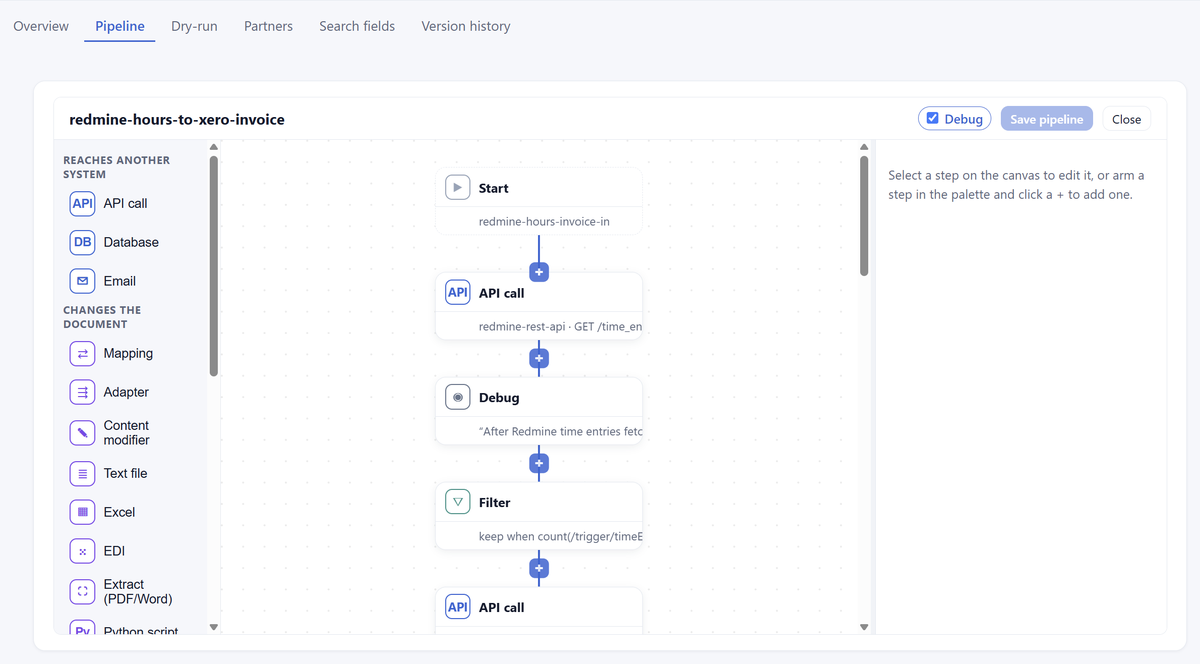
The workflow editor: a pipeline of steps, each with its settings in plain boxes - no hidden code.
Describe the integration in plain words. The Integration Wizard inspects the APIs, channels and mappings you already have, proposes a plan and says what it assumed. Nothing is created until the plan is approved.
What it builds is made of the platform's own building blocks - a workflow of steps, a mapping in the visual mapper - and lands as a draft that a person reviews and activates. It never sees passwords or keys.
Highlights:
What it builds is made of the platform's own building blocks - a workflow of steps, a mapping in the visual mapper - and lands as a draft that a person reviews and activates. It never sees passwords or keys.
Highlights:
- Plan first, build after approval.
- Every build is a draft until a person activates it.
- Held to the same rules as a person.
- Credentials are never shown to the AI.
An integration is a channel in, a pipeline of steps and a channel out, drawn as a flowchart. Over twenty kinds of step cover the real cases: mappings, filters and routers, API calls, database reads and writes, EDI, Excel, PDF and Word extraction, email and more.
Mappings are drawn in a visual mapper and stored as standard XSLT or JSONata, so they can be read, exported and maintained by anyone with the right role.
Highlights:
Mappings are drawn in a visual mapper and stored as standard XSLT or JSONata, so they can be read, exported and maintained by anyone with the right role.
Highlights:
- Configured in a browser - nothing to install.
- Fields picked from lists built from real messages.
- Settings that cannot work are refused when saved, with a reason.
- A dry run shows what each step would do before anything is live.
Development, Test and Production are fully separated, and promotion between them checks its prerequisites first. Production requires approval by default, and every change is a version with who made it and when.
Highlights:
Highlights:
- Roles and permissions per section and per environment.
- Sign-in with Microsoft 365 / Entra work accounts, and two-factor authentication.
- Credentials encrypted at rest; message content too, if you choose.
- Each customer isolated from every other.
The connections a mid-sized business needs are built in:
- EDI - EDIFACT and X12, with partner-specific adapters built from the partner's guideline.
- APIs - any REST API registered from its OpenAPI specification, plus webhooks.
- Files - local and shared folders, and SFTP.
- Databases - PostgreSQL, MySQL, MariaDB, SQL Server and Oracle.
- Messaging - Kafka and JMS.
- E-invoicing - Peppol.
- Documents - PDF and Word, read by AI-assisted extraction.
- Email and Excel - in and out, with the message as an attachment.
You can always answer "what happened to that order?". Each message has its own reference, carried end to end and searchable - also by business identifiers such as an order or invoice number, even for documents that arrived as a PDF.
Highlights:
Highlights:
- Status of every message at a glance.
- A failed message sends an email with the likely cause.
- Debug checkpoints, switched on without a new version.
- Reprocess a message, or replay a failed delivery.
Request More Information
-
Additional Resources
-
Product Benefits
- Describe an integration in plain words - the AI drafts it, you approve it
- No hidden code: everything built can be opened, read and changed by your own team
- Trace every message end to end, and find it by its order or invoice number
- Development, Test and Production built in, with approval before anything goes live
- EDI, APIs, SFTP, databases and documents - configured in a browser